Archive of resolved issues and feature additions completed.
Moderator: Kyete
-
game
- Posts: 10
- Joined: Sat Nov 15, 2014 5:23 pm
Post
by game » Tue Jun 27, 2017 7:24 pm
I'm creating a small map with a lac using the soft color overland lake 3 setting.
This is the OWM view:
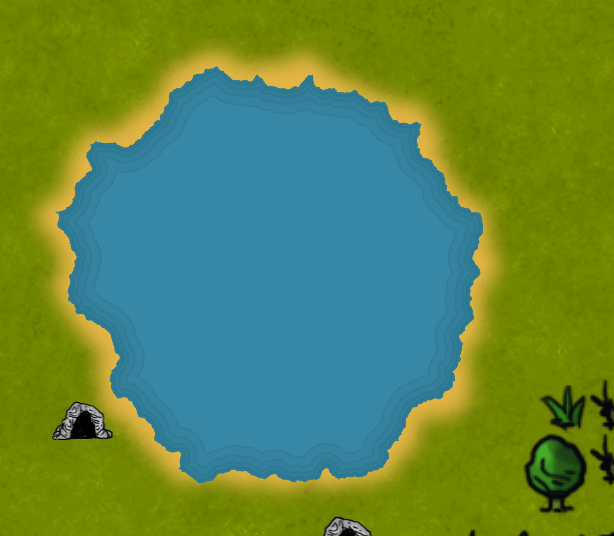
And this is the rendered view:
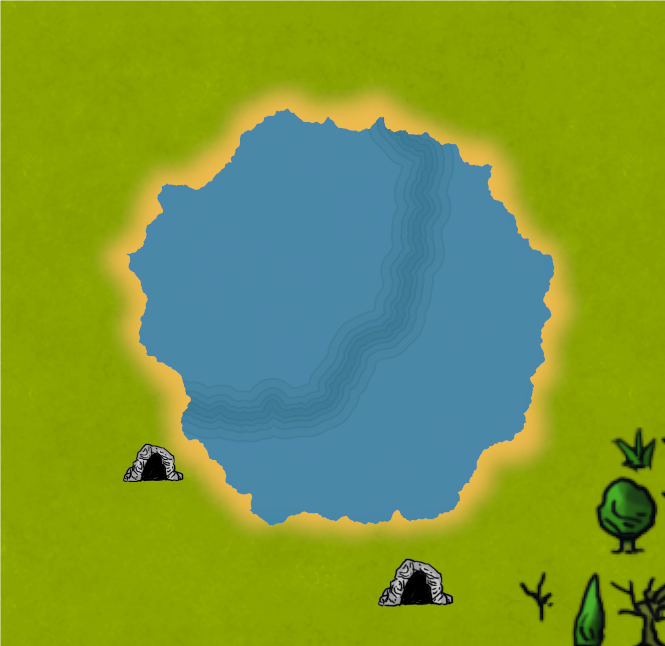
In addition the rendered image is more bright and details are lost, especially the nice pattern effect.
Is it a bug or something expected ?
-
Kanchou
- Site Admin
- Posts: 1037
- Joined: Mon Nov 10, 2014 2:23 pm
Post
by Kanchou » Wed Jun 28, 2017 12:31 pm
game wrote:I'm creating a small map with a lac using the soft color overland lake 3 setting.
In addition the rendered image is more bright and details are lost, especially the nice pattern effect.
Is it a bug or something expected ?
The shoreline issue is a Beta 6 bug that will be fixed with the coming release.
The difference in composition is the rasterizer for the "in-program" view (faster + lower quality) vs. the final rasterizer. You can have OWM use the "Raster Quality" exporter for "in-program" for comparison (under View->Preview Quality).
Question: Are you scaling while exporting? Or is it just 100%/no scaling.
I'll also try to do some additional testing and what may be causing the difference.
Thanks!
- Alejandro
Alejandro S. Canosa
Three Minds Software
-
game
- Posts: 10
- Joined: Sat Nov 15, 2014 5:23 pm
Post
by game » Wed Jun 28, 2017 7:06 pm
I try to locate this bug in the known bug, but I probably missed it.
The export was done at 100%.
And I though that I played with the "Raster Quality" setting and that I chose the better quality version. I have to retry that however.
Another small glitch I had that is probably already known and fixed is feature artefact after an undo:
draw feature with the features surface tool using the mouse drag mode and then undo action: the feature will still be visible and I had to drag over another feature to erase the rendered features.
Many thanks for your feedbacks.
-
game
- Posts: 10
- Joined: Sat Nov 15, 2014 5:23 pm
Post
by game » Wed Jun 28, 2017 7:20 pm
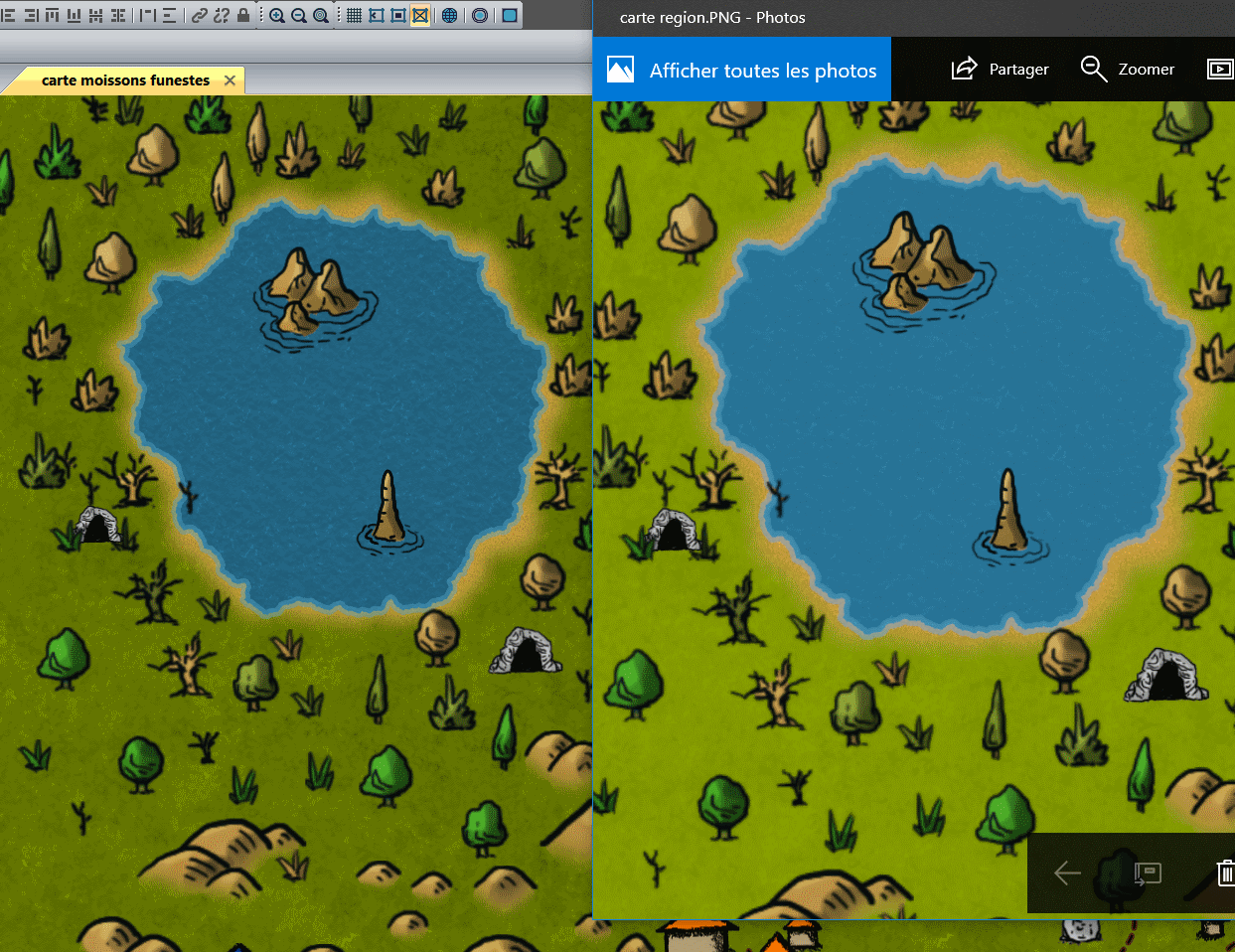
Quick update about rendering diff:
My rendering settings:
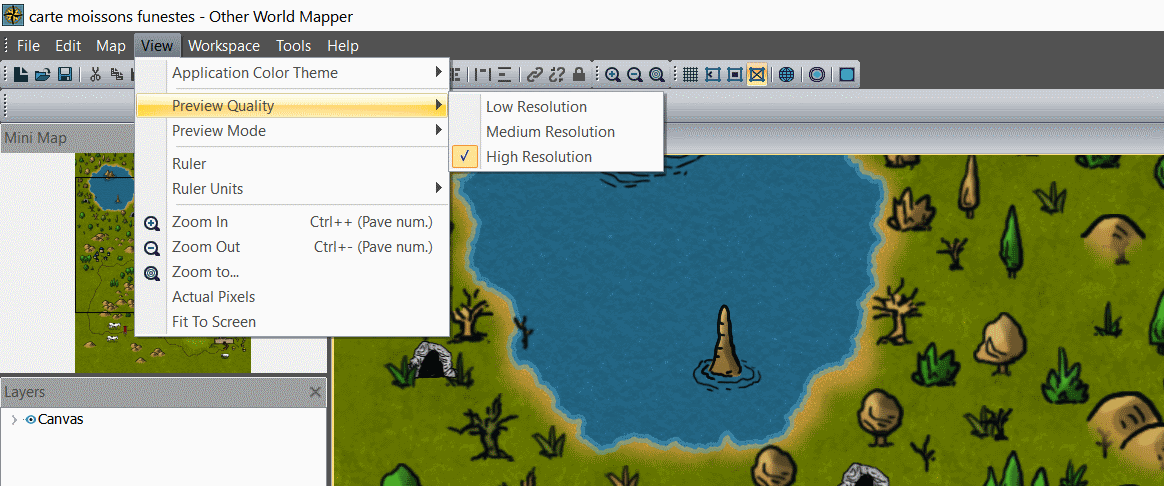
The export settings:
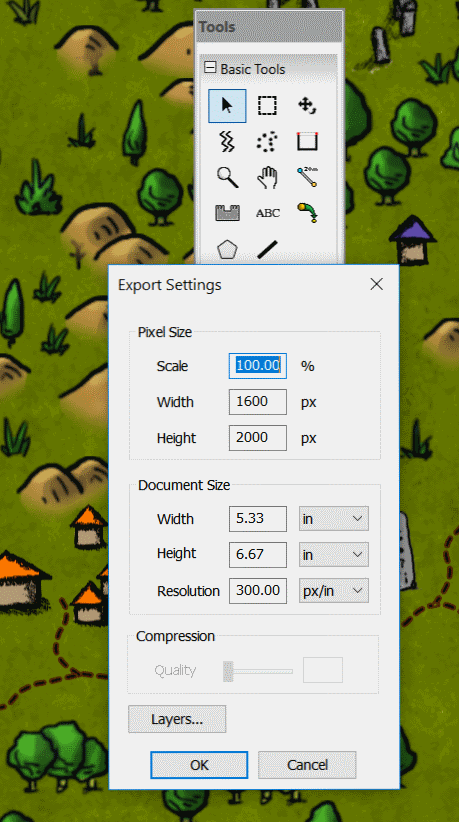
And the comparison:
again the exported is brighter and texture details have been lost. Kind of over-exposed softened blurred result

Gone the nice grain added by the texture !
-
Kanchou
- Site Admin
- Posts: 1037
- Joined: Mon Nov 10, 2014 2:23 pm
Post
by Kanchou » Sun Jul 02, 2017 5:28 pm
Yup. That was a good catch!
The overexposed issue is fixed with the upcoming release now

Thank you!
- Alejandro
Alejandro S. Canosa
Three Minds Software